How to use ChangeBell
Four steps, two minutes. Then ChangeBell checks the page for you and alerts you when it changes.
1. Open the page you want to watch
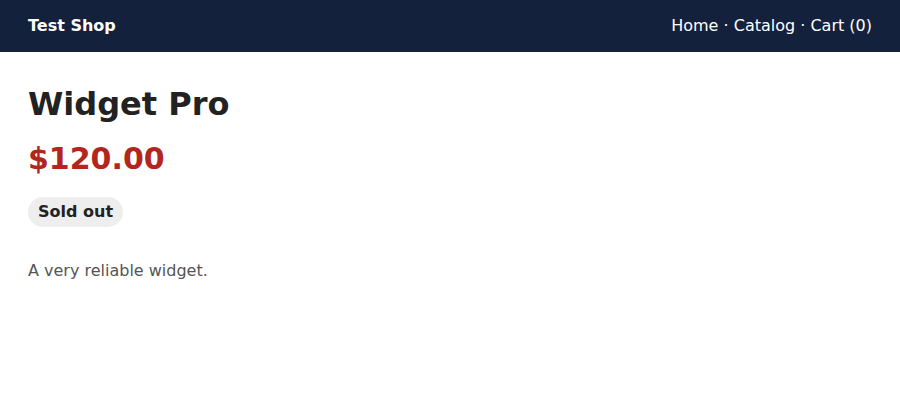
A product, a price, a list of posts, an order status — any page that opens in Chrome. Pages you are signed in to work too. To try ChangeBell first, open the demo shop: its price changes every minute, so the first alert comes in about a minute.
2. Click the bell
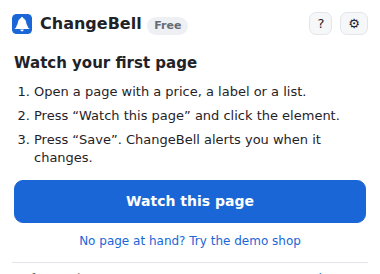
Click the ChangeBell icon in the Chrome toolbar. If you do not see it, click the puzzle icon and pin ChangeBell.
3. Click the price or the label
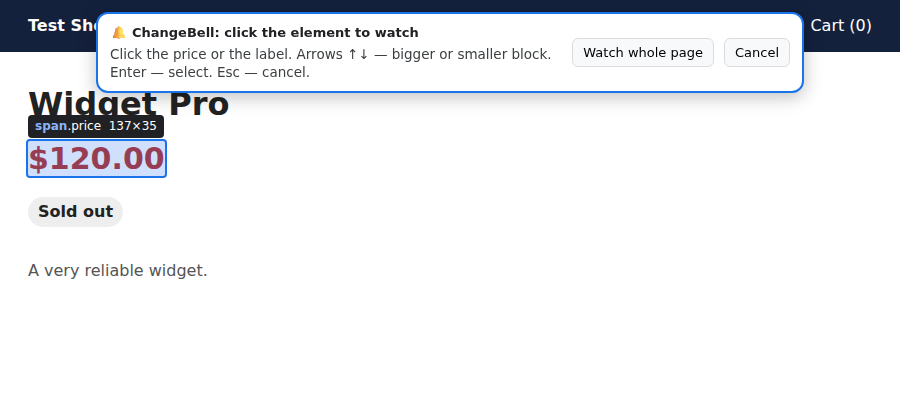
Press + Watch this page and click what matters: the price, the “Sold out” label, the list. The arrows ↑↓ make the block bigger or smaller, Enter selects, Esc cancels. To watch everything, press Watch the whole page in the bar at the top. Then choose when to alert you — anything changes, the price drops, back in stock or something new appears in the list — and press Save. The first check only remembers the page; alerts come on the next changes. To add another page later, do the same again.
4. Connect Telegram
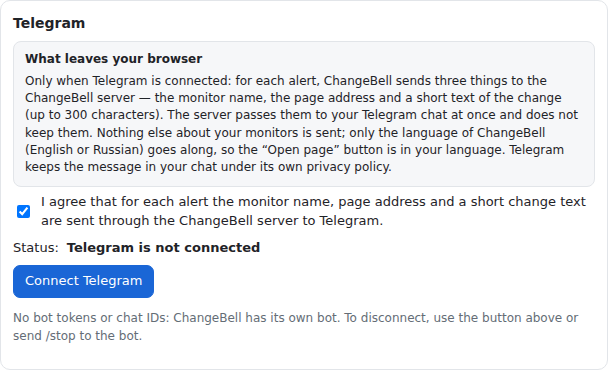
Desktop alerts work right away. For alerts on your phone, open ChangeBell settings, tick the consent box, press Connect Telegram and then Start in the ChangeBell bot. Nothing else to set up. To disconnect, press Disconnect Telegram or send /stop to the bot.
Questions
Why does a tab appear for a few seconds?
Some sites show the price only once the page is fully open, or only after you sign in. Then ChangeBell opens the page in a muted background tab, looks at it and closes it — usually in 3 to 10 seconds. That is ChangeBell at work.
What does “Site blocks” mean?
The site answered with a captcha or an “are you a robot” page. ChangeBell does not get around such protection: it checks this site less often and shows “Site blocks”. Try opening the page yourself. If the site keeps blocking, pause the monitor or watch another page.
How do I watch a price, or wait for “Out of stock” to go away?
Click the price itself, then in “Alert me when” choose the price drops: every drop below the last seen price alerts you. Prices like “$1,299.99”, “1.299 €” and “1 299 ₽” are read correctly. For your own limit, choose the number becomes lower than… under “Other conditions” and enter it.
For a restock, click the “Out of stock” label and choose back in stock. You get one alert when the label is gone, not one per check.
What is the difference between Free and Pro?
Free: 3 monitors, checks every 5 minutes or less often, desktop and Telegram alerts.
Pro: unlimited monitors, checks as often as every minute. For a year or for life, with a 14-day refund. When a yearly Pro ends, monitors over the first 3 are paused, not deleted.
Why are there no checks while my laptop is closed?
ChangeBell checks pages from your own Chrome, with your own login — that is what lets it watch pages you are signed in to, and what keeps your monitors private. So checks run only while the computer is on and Chrome is open. After sleep, the missed checks run at once. A cloud service that checks while your computer is off is planned for later, as a separate subscription.